Apps Update: Create your own Saleor home dashboard
The Dashboard home page is becoming configurable — apps can now mount as home-page widgets and you can build your own custom home screen. Plus new App Bridge actions and three new apps.
The headline this month: the Dashboard home page is becoming configurable, and apps are now first-class citizens on it. Together with two new App Bridge actions, this is the foundation for building Dashboard experiences that feel native. The three new apps further down are the cherry on top.
A new Home Page mount point
The Dashboard now has a new, configurable home page, and apps can mount directly onto it.
A new HOMEPAGE_WIDGETS mount point lets apps render as widgets in a responsive grid on the home screen — alongside the existing ability to mount full-screen tabs. Instead of a single fixed landing screen, staff can assemble a home page from the components most relevant to their workflow.
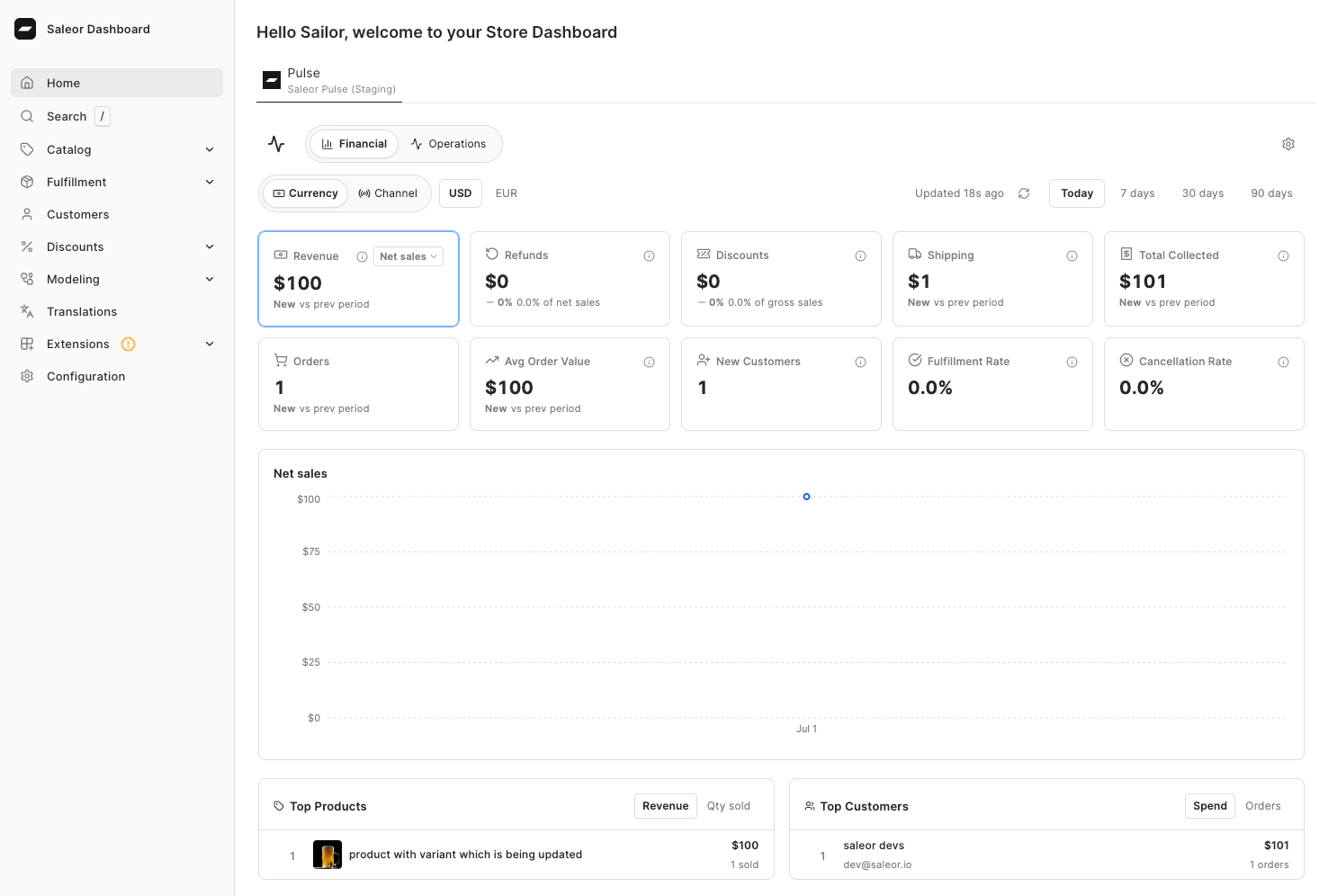
This is also where onboarding now lives. The built-in setup tasks have been packaged into a standalone Onboarding app that ships preinstalled and mounted on the home page. And because the home page is configurable, you'll soon be able to replace Dashboard's home screen — the current, built-in onboarding — with your own fully custom view.
App Bridge: New Actions
Two new App Bridge actions make Dashboard widgets feel native. Both are available in @saleor/app-sdk 1.11+ with Saleor Dashboard 3.23.9+. See the App Bridge actions reference for full details.
RefreshEntity
When an app modifies data the Dashboard is currently displaying, the view can go stale. Dispatching actions.RefreshEntity() asks the Dashboard to re-fetch the entity active in the current context — no arguments needed, the Dashboard already knows which entity is open.
This is ideal for widgets that mutate data: an order widget that adds a note or changes fulfillment, or a product widget that updates a field, can now refresh the surrounding Dashboard view immediately so the operator always sees up-to-date data.
WidgetResize
actions.WidgetResize({ height }) asks the Dashboard to resize the widget iframe to match the app's content height. It applies to *_DETAILS_WIDGETS extensions and takes a height in pixels.
The default iframe height is 200px, which often clips content or leaves awkward empty space. Reporting your real content height prevents clipping, removes dead space, and lets multiple widgets stack naturally. (The reported height is capped at 5000px.)
New Apps
Three new apps round out the update.
Anonymizer
The Anonymizer app removes personal customer data to support two common scenarios: fulfilling GDPR "right to be forgotten" requests, and sanitizing copies of a production database for development environments.
Rather than deleting orders, the app scrambles personal data while keeping order numbers, line items, and totals intact — so your accounting records stay consistent. It clears names and phone numbers, replaces emails with UUID-based addresses, and overwrites street address details while preserving geographic information like city, postal code, and country. It supports both single-customer removal (look up a customer by email and anonymize their orders and gift cards) and bulk anonymization for cleaning an entire copied database at once.
Dummy Payment
The Dummy Payment app lets you simulate payment processing without integrating a real payment provider.
It implements Saleor's Transactions API end to end, so you can create checkouts and orders, process transactions, and handle charges, refunds, and cancellations — all with predictable, scripted outcomes. By passing custom data to the transactionInitialize and transactionProcess mutations, you control exactly what happens: a successful charge, an authorization failure, a partial refund, and so on. It's the fastest way to test storefront payment flows before connecting a real PSP, and a practical reference for learning the Transactions API.
Onboarding
Onboarding is leaving the Dashboard core soon, and we've moved the old setup tasks into a standalone app. It ships preinstalled on the new home page.
See all changes in app releases and app-sdk releases