Pin Model Types to the Dashboard Sidebar
Model types you use every day can now live in the sidebar — for you alone, or for everyone in the organization.
Models are Saleor's way of bringing a merchant's own domain into the platform — Brand, Company, Customer Role, Marketing Page, whatever the business actually needs. But until now they all lived behind one Models entry in the sidebar, and reaching the type a staff user works with daily meant a list view and a filter every time.
Model types can now be pinned straight into the navigation.
Pinning
The model list has a new Pin to navigation action. A pin is a shortcut that reopens the list filtered to that type, so it behaves like any other sidebar item.
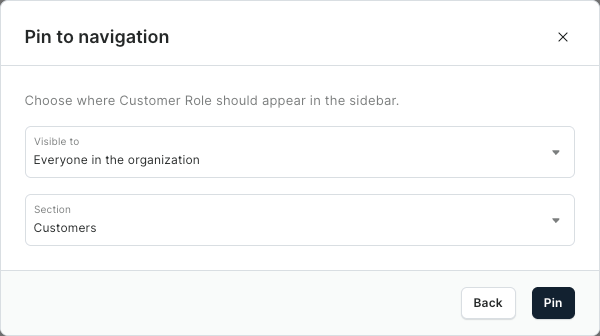
Two things to decide:
- Visible to — only the staff user who pinned it, or everyone in the organization.
- Section — where it lands in the sidebar.
Where pins land
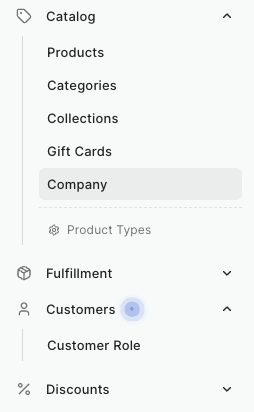
A pin placed in an existing section sits with the rest of it. A Company model type under Catalog, a Customer Role under Customers — right next to the built-in entries they belong with.
There's also Favorites, a new section at the top of the sidebar for the entries that get reached for first.
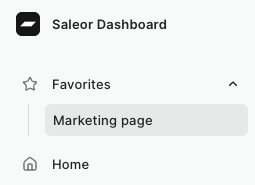
Each section holds up to three pins per scope, so personal pins and organization pins can coexist without either crowding the navigation out.
Personal and organization scope
Personal pins belong to a single staff user — they follow that account and nobody else sees them. Organization pins are set once and appear for everyone, including staff who join later.