Saleor 3.23: Improved Full-Text Search
Saleor 3.23 brings a unified search experience — consistent syntax, powerful operators, and full-text search across products, orders, customers, and more.
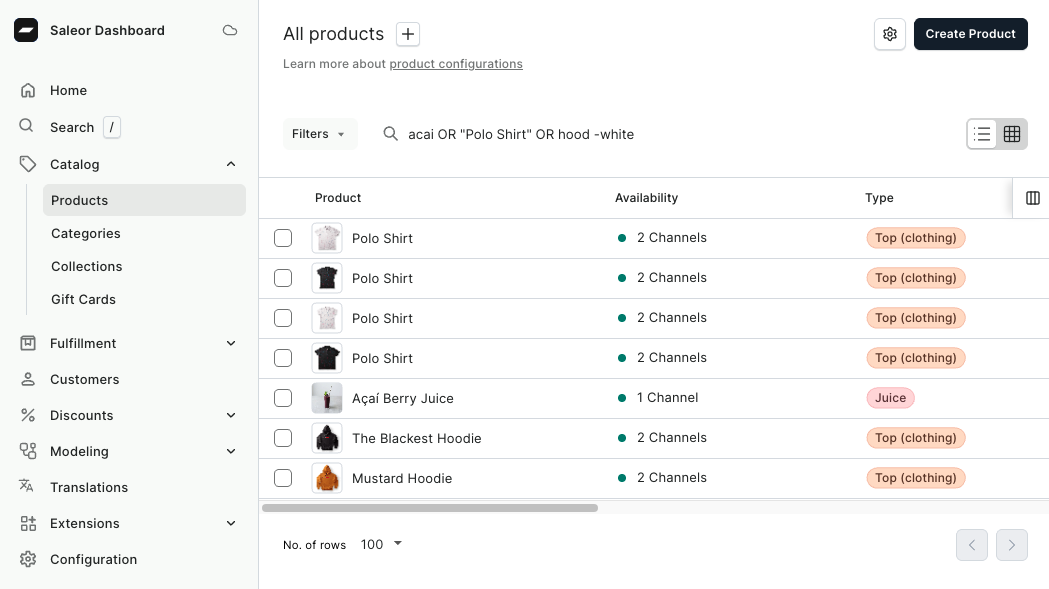
Search should just work — fast, forgiving, and consistent no matter where you use it. That's exactly what Saleor 3.23 delivers.
Search that just works — across every entity, every language.
We've rebuilt full-text search with prefix matching, accent-insensitive queries, powerful operators, and predictable ranking — across:
Prefix Search
This was one of the most requested features. Previously, you had to type out full values to find what you're looking for — searching coff wouldn't return Coffee Beans. Now, just start typing:
and immediately get results like Coffee Beans, Coffeehouse Blend, Coffee Maker — type a few characters and results appear as you go.
Accent-Insensitive Search
If you run a multilingual catalog, you'll love this. Search is now fully accent-insensitive and case-insensitive. Searching for:
matches Magnésium B6, MAGNESIUM Supplement, and magnesium citrate — regardless of how the product name was originally entered.
Powerful Operators
Need more control over your results? Saleor search now supports a full set of operators.
Combine terms with AND
Just type multiple terms — they're combined with AND by default:
This narrows results down to only those matching all three — like John's coffee order shipped to Berlin.
Broaden results with OR
Not sure if the customer bought coffee or tea? Cast a wider net:
Note the uppercase OR — this returns results matching either term. Great for support agents who only have partial information from a customer call.
Exclude what you don't need with NOT
A merchandiser managing a large catalog wants tea products, but not the herbal ones:
The minus sign excludes results. No extra clicks, no filters to configure — just type and go.
Find exact phrases
Looking for a product with a specific name? Wrap it in quotes:
This matches the exact phrase, not just results containing green and tea separately. Perfect when you know exactly what you're looking for.
Combine them all
All of these features work together. For example, to find orders related to "green tea" or "black tea" but exclude anything herbal:
Exact phrases, OR, and NOT — all in a single query.
Predictable Ranking
Search results are now returned in a meaningful order. By default, Saleor applies RANK sorting when a search query is active — exact matches appear first, followed by partial (prefix) matches lower in the list. So searching for coffee will rank a product named Coffee above one named Coffeehouse.
This means the most relevant result is almost always at the top. If you need a different order — alphabetical, by date, or any other field — you can override the default ranking with the sortBy parameter in the API.
Unified search lands in
Saleor 3.23.
For the full technical details, supported fields per entity, and API examples — check out the docs.