Introducing Pulse: Your Store's Vitals, Built Into Saleor
Pulse answers one question for Saleor merchants: how is my store doing today? Focused analytics in the Dashboard, with an agent-ready data layer underneath.
Merchants don't need more data. They need a clear answer to one question:
How is my store doing today?
Pulse is a new analytics app for Saleor, coming soon to Saleor Cloud. It shows the store numbers teams actually use day to day: revenue, orders, returns, customers, products, and fulfillment.
You get financial and operational trends, period comparisons, top products and customers, low-stock checks, and alerts when something looks off, like a cancellation spike or unpaid fulfillments.
Install it, let Pulse import history, and keep it fresh through webhooks and automatic sync. No SQL. No spreadsheet exports. It is not a BI warehouse replacement. It is the daily view of store health, already sitting in Saleor Dashboard.
A few bets we made on purpose:
- Focused. A small set of useful signals beats another wall of widgets.
- Fast. Metrics are pre-aggregated, so dashboard reads stay light on your Saleor instance.
- Private. Customer names and emails never go into the analytics database.
- Built in. The numbers show up on Dashboard Home and product pages, not in a separate tool you have to remember to open.
Where your team already works
On Home, and on the product page
Pulse uses Saleor's new Home mount point, so analytics can sit on the first screen of the Dashboard. Product Insights land next to the product you are editing.
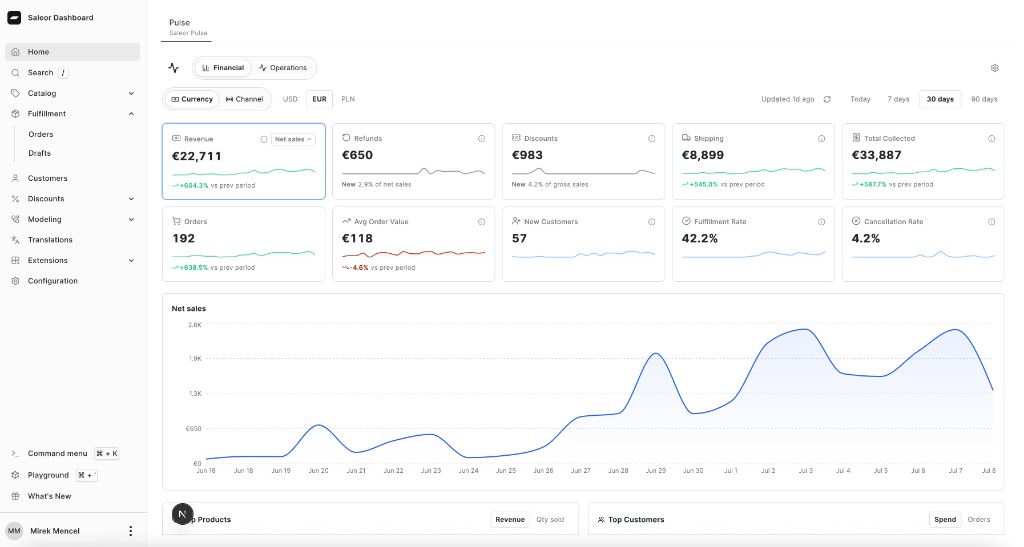
Pulse on the new Home mount point. More on that mount in the June apps update.
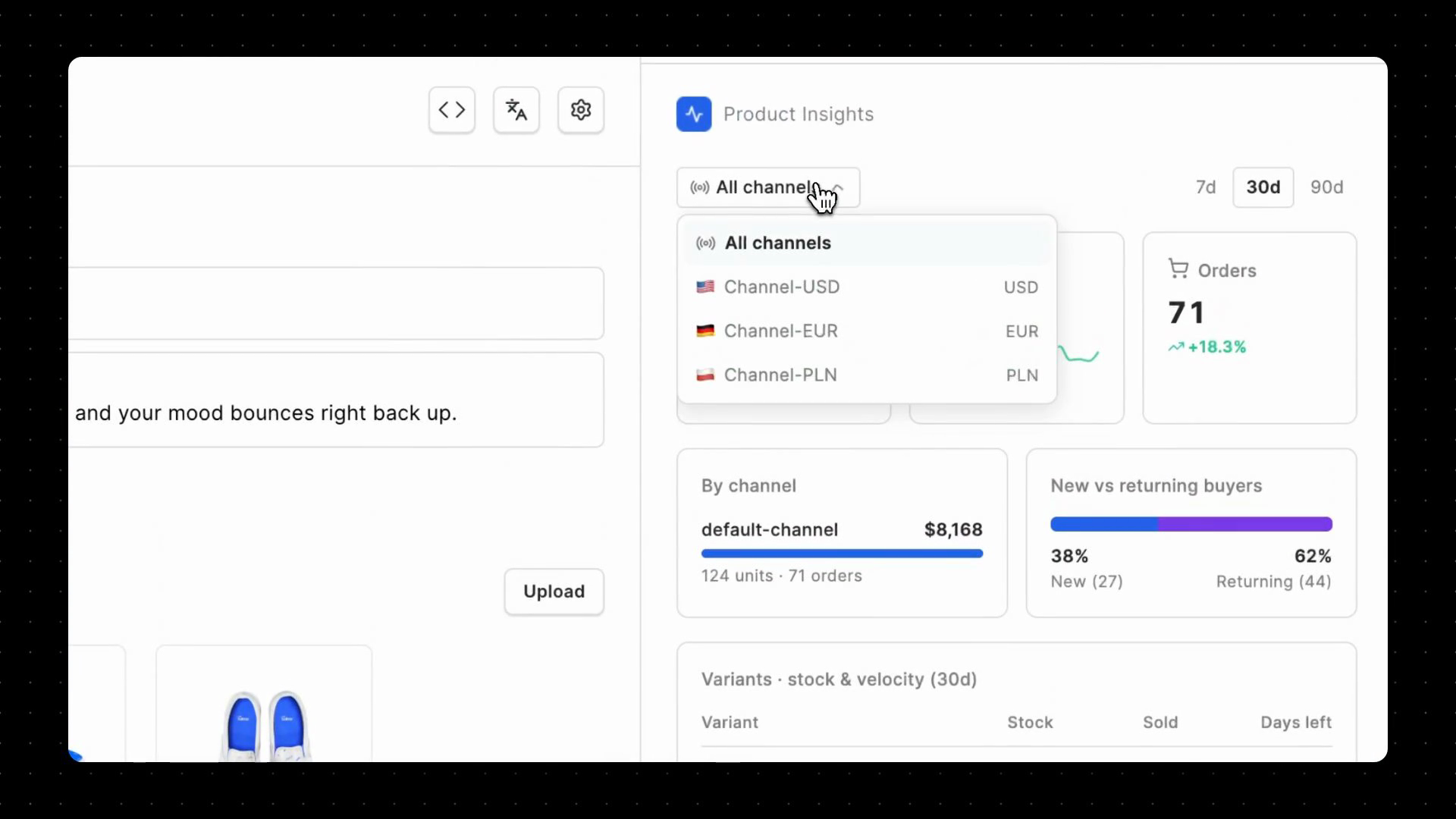
Product Insights: revenue, units, channels, buyer mix, stock, and velocity.
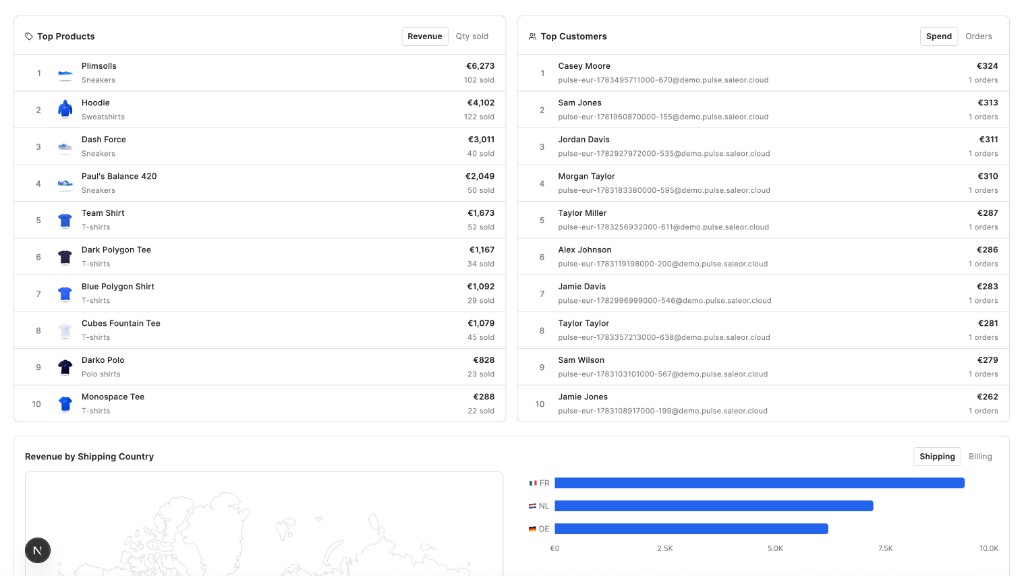
Top products, top customers, and revenue by shipping country.
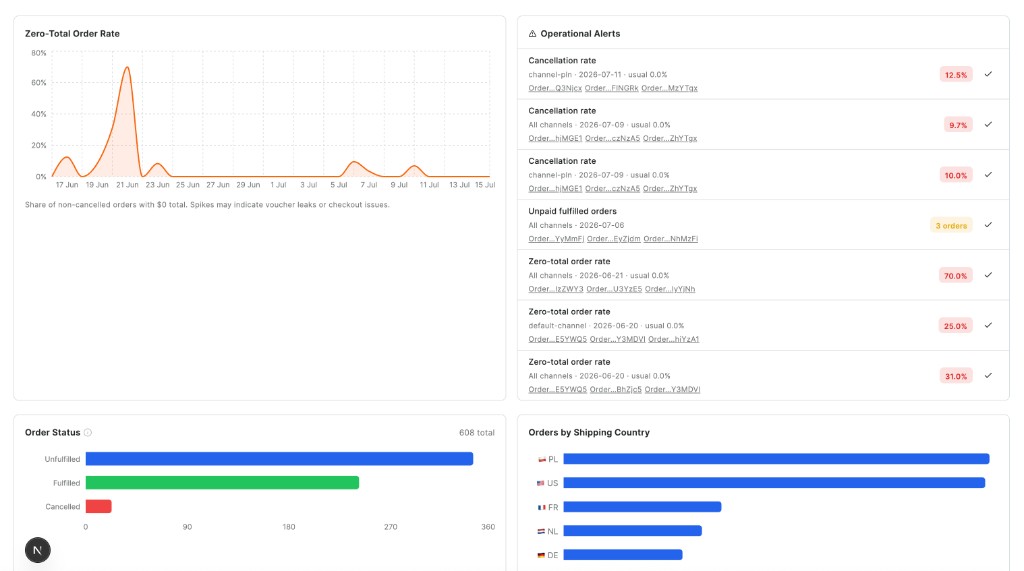
Operations: rates, anomaly alerts, order status, and geographic volume.
How the numbers work
Revenue means product net sales
After discounts. Before tax and shipping. The rest of Pulse uses that same definition.
Revenue
Product subtotal after discounts. Tax and shipping stay out of the headline figure.
After returns
Same revenue figure, minus refunds. Toggle it on the Revenue card when you want the post-return view.
Scope
Money stays scoped to a currency and channel. Operations compares rates across currencies instead of summing incompatible totals.
One definition
KPI cards, trends, rankings, product widgets, and future agent tools share the same calculation layer.
Financial
Net sales, refunds, discounts, shipping, total collected, orders, AOV, new customers, top products and customers, sales by country.
Operations
Fulfillment, cancellation, and refund rates, order volume by channel, anomaly alerts, new vs returning, low stock.
Under the hood
Pulse pulls orders in through webhooks and periodic sync, then writes pre-aggregated rollups so the Dashboard can read them quickly. Customer names and emails are not stored in the analytics database. When someone with permission opens Top Customers, Pulse resolves display names from Saleor at read time. That structured layer is also what the agent interface will sit on.
Built for what comes next
Built with agents in mind
We designed Pulse so AI can work with the same numbers the Dashboard shows. The query tools are already there: permission-aware, read-only, and tied to those shared definitions.
Soon
That means you will be able to ask things like "What changed this week?" or "Which products are running low?" and get answers grounded in Pulse, without dropping into SQL. The agent experience is coming soon for Saleor Cloud customers.